

|
|
The Print option allows you to print the containers.
To download container permit
1. Open the download document page
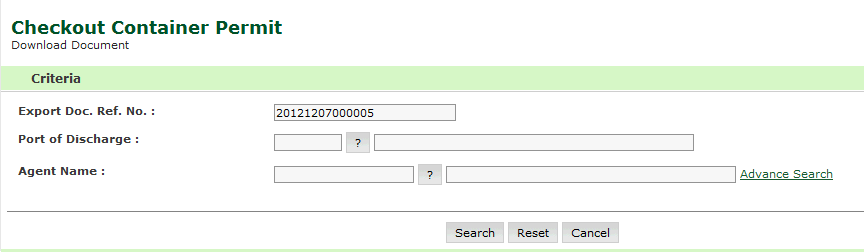
Checkout Container Permit Download Search Page
2. Enter the information in the following fields:
| Field | Description |
| Export Doc Ref No | Enter the Permit Reference Number. |
| Port of Discharge | Enter the ECL Submission Id. |
| Agent
Name |
Select the status of the checkout container permit from the drop-down list. |
Note: If you do not know the Document Ref. No., click Advanced Search hyper link. |
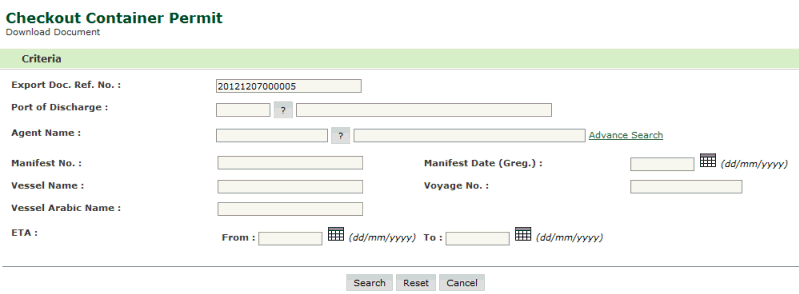
Checkout Container Permit Download Advanced Search Page
3. Enter the field values and Click Search. The search result screen will be displayed.
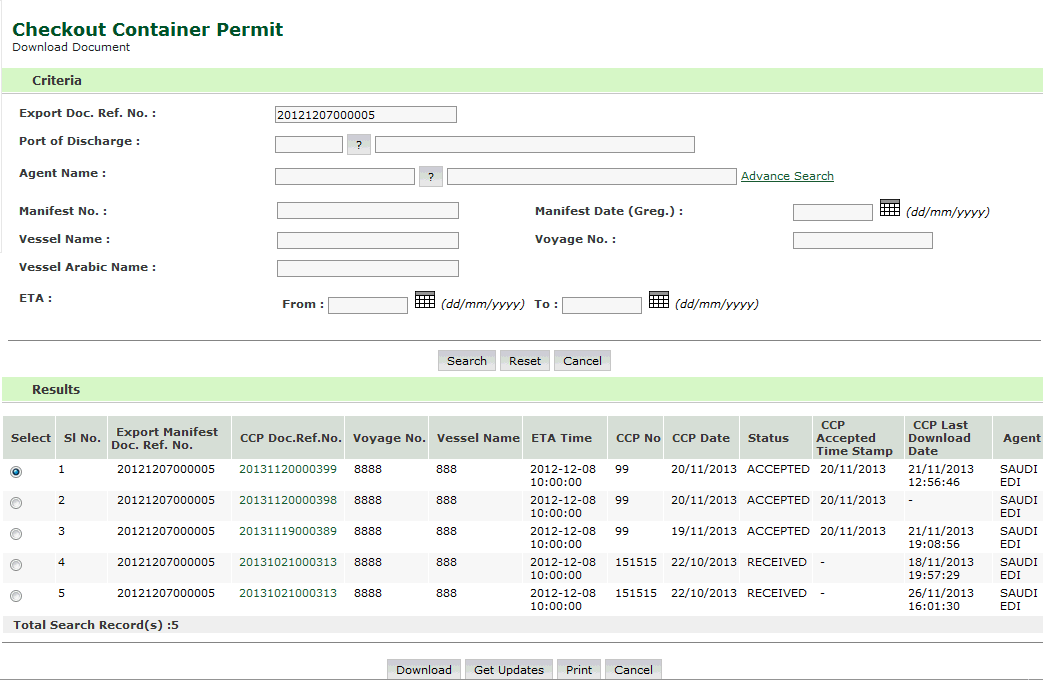
Checkout Container Permit Download Advanced Search Result Page
4. Click the Print button. the document will be opened to print as shown below.
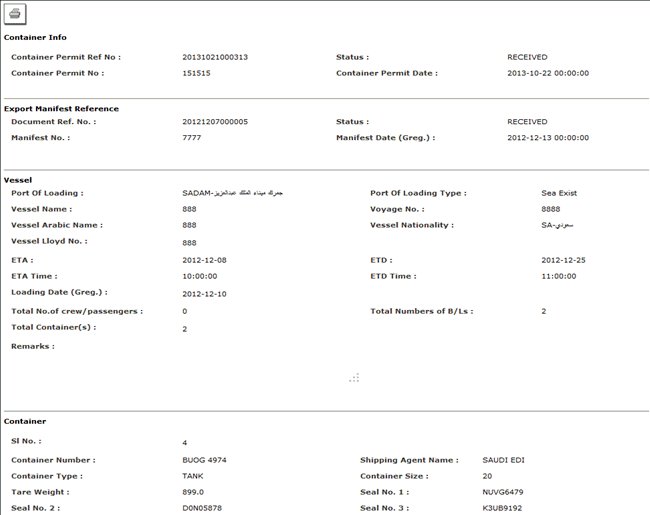
Checkout Container Permit Print Page
Related Topics: |
| Copyright SaudiEDI - 2012 |