 |
 |
|
|
Get updates allows user to get ECL details of selected CCP Doc. Ref. No.
To get the updates of container permit
1. Open the download document page
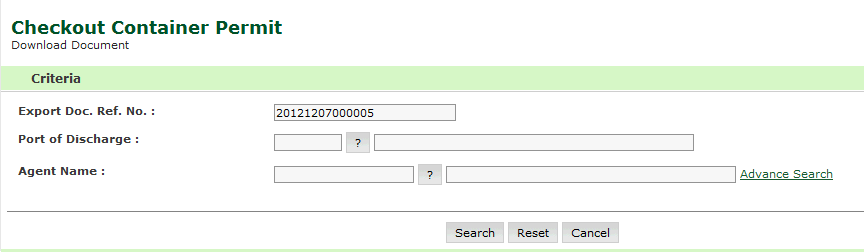
Checkout Container Permit Download Search Page
2. Enter the information in the following fields:
| Field | Description |
| Export Doc Ref No | Enter the Permit Reference Number. |
| Port of Discharge | Enter the ECL Submission Id. |
| Agent
Name
|
Select the status of the checkout container permit from the drop-down list. |
Note: I f you do not know the Document Ref. No., click Advanced Search hyper link. |
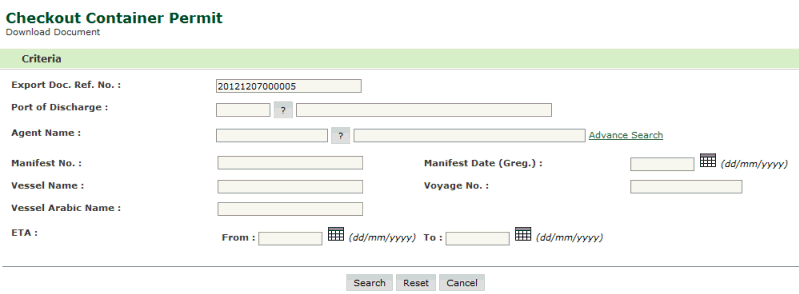
Checkout Container Permit Download Advanced Search Page
3. Click Search. The search result screen will be displayed.
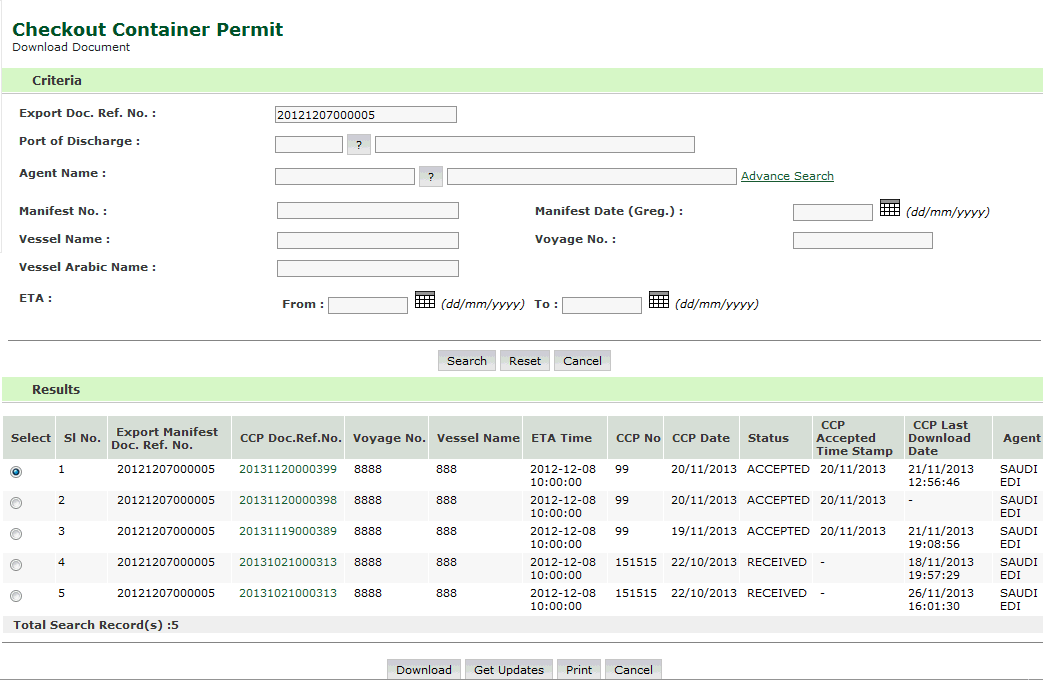
Checkout Container Permit Download Advanced Search Result Page
Note: Before getting updates, user should download the record otherwise error message will be displayed as shown below. |
4. Click Get Updates button, the following screen is displayed.
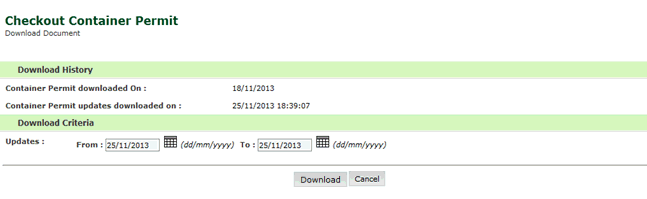
Checkout Container Permit Get Updates Page
Note: Fields under Download History are auto-filled and are non-editable. User can only modify fields under Download Criteria. |
5. Click Download button. document will be opened for download as shown below.
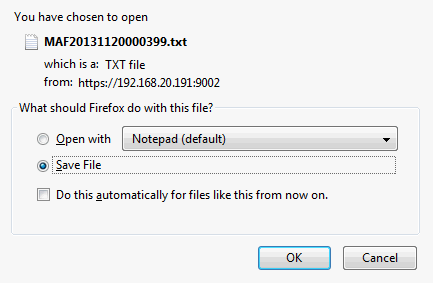
Checkout Container Permit Download Page
6. Select the Save File radio button and click Ok button. Document will be opened for download as shown below. Document contains ECL Details of selected CCP Doc. Ref. No.
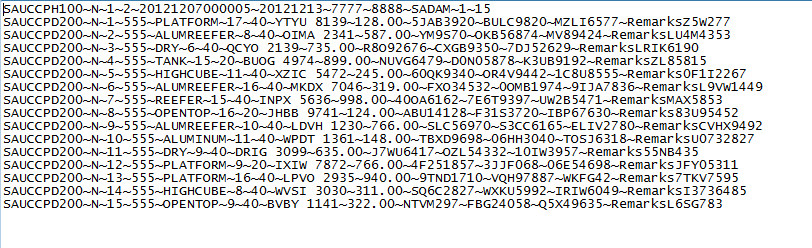
Checkout Container Permit Downloaded Page
Related Topics: Back to: |