 |
 |
|
|
This option allows you to edit the import manifest ECL vessel details in the SaudiEDI application.
To edit the ECL vessel details
1. Search for the manifest record to be amended as described in Searching Import Manifest Details.
2. Click the Document Reference No. link to retrieve the record as described in Searching Import Manifest Details.
3. Click Correction button, the import manifest ECL screen is displayed.
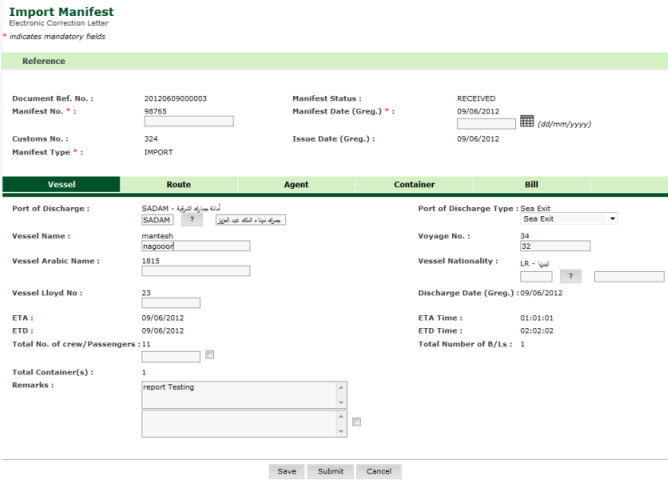
Edit Vessel Details page
Related Topics: Back to:
|