 |
 |
|
|
To search ecl container permit
1. Open the ECL Search page. (SAUDI EDI>> Checkout Container Permit>> ECL Search)

Checkout Container Permit ECL Search Page
2. Enter the information in the following fields:
| Field | Description |
| ECL Seq No | Enter the Permit Reference Number. |
| Message Id | Enter the ECL Submission Id. |
| Status | Select the status of the checkout container permit from the drop-down list. |
| CCP Ref No | Enter the CCP Reference Number. |
| Container Permit Number | Enter the Container permit Number. |
| Container Permit Date | Select the container permit date using the calendar icon. |
3. Enter the filed values and click Search. The Search Result page will be displayed.

Checkout Container Permit ECL Search Result Page
4. Click the ECL Seq No link. The following screen will be displayed.
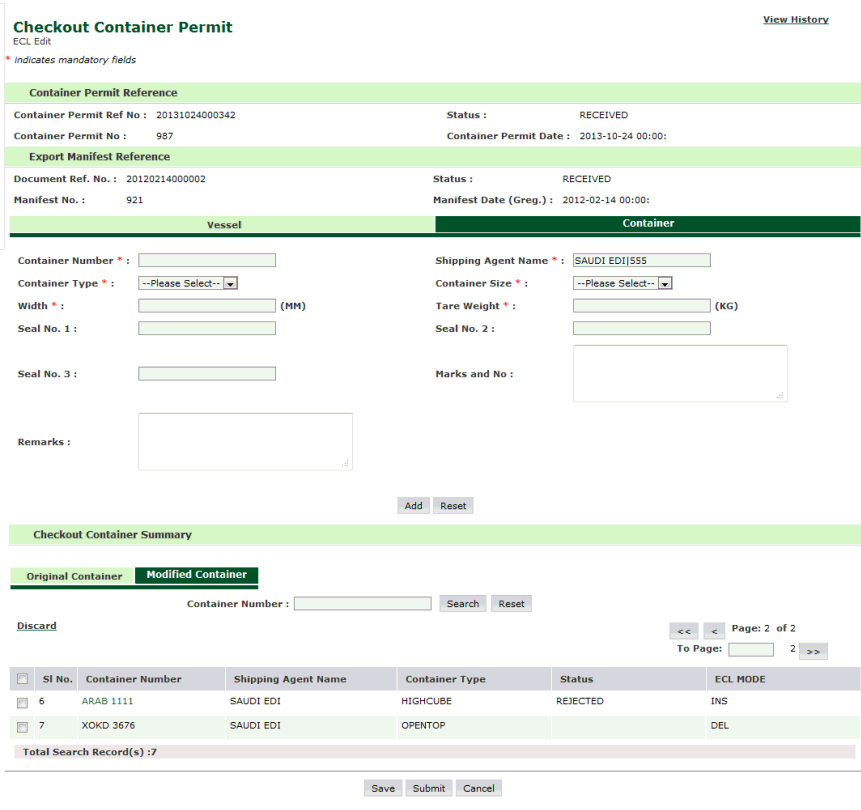
Checkout Container Permit ECL Container Page
5. Click the Vessel Tab, to view the vessel details
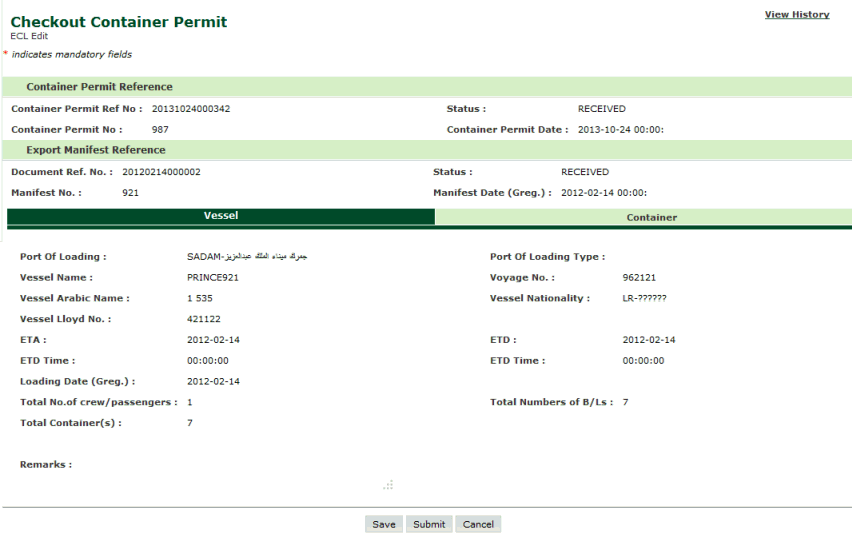
Checkout Container Permit ECL Vessel Page