

|
|
This page allows you to create route details in SAUDI EDI application for Import Manifest.
To create route details
1. Open the Create Route page.(SAUDI EDI>> Export Manifest>> Create>> Route)
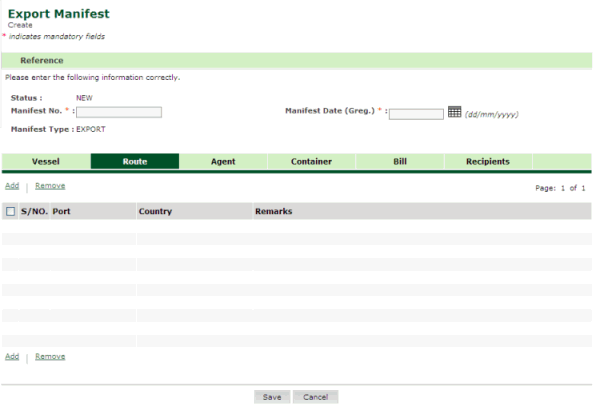
Export Manifest Route page
2. Click Add hyper link. The Route Details page is displayed.
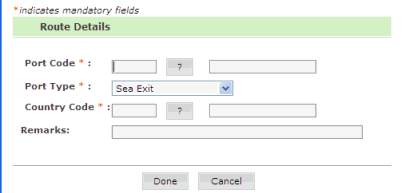
Route Details page
3. Enter information in Route Details fields.
| Field | Description |
|
Port Code |
Enter the port code or select the port code using the icon.. |
|
Port Type |
Select the port type form the drop down list. |
|
Country Code |
Enter the country code or select the country code using the icon.. |
|
Remarks |
Enter the remarks. |
4. Click Done button. The updated Export Manifest Route page is displayed.
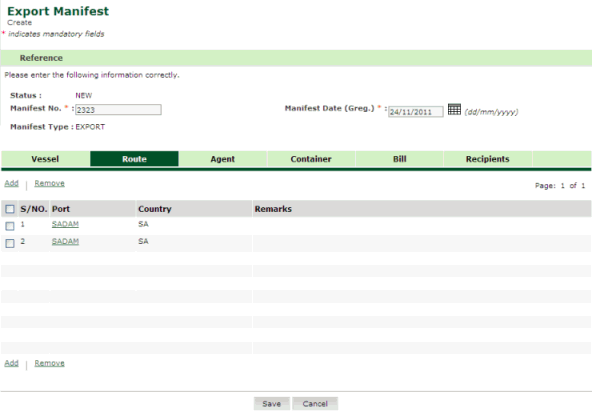
Updated Export Manifest Route page
|
Back To: Creating Import Manifest Details
|
