 |
 |
|
|
This page allows you to add the bill route information in the bill section using SaudiEDI application.
To add the bill route details
1. Open the Bill Route Details page. (SAUDIEDI>> Manifest>> Search>> Bill>> Bill Route)
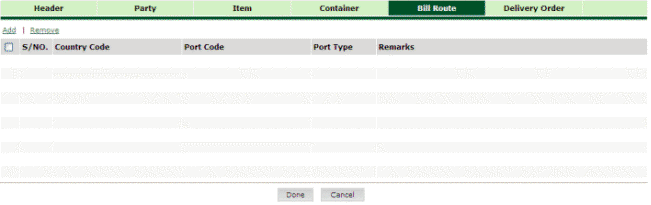
Bill Route Details page
2. Click Add hyper link. The Route Details page is displayed.
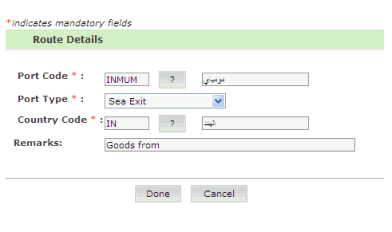
Route Details page
3. Enter
the information in the Route Details
fields.
| Field | Description |
Port Code |
Enter the port code or select the port code using the icon.. |
Port Type |
Select the port type form the drop down list. |
Country Code |
Enter the country code or select the country code using the icon.. |
Remarks |
Enter the remarks. |
4. Click the Done button. The Bill Route Details Added page is displayed.
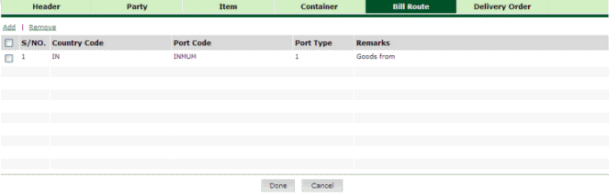
Bill Route Details Added page
Related Topics: Back to:
|