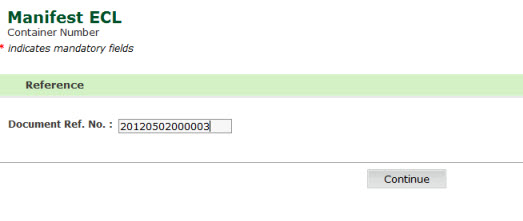
This page allows you to search and view the good description details of the import manifest in the SaudiEDI application.
To search the container number details
1. Open the Goods Description page. (SAUDIEDI>> Manifest >> ECL >> Container Number)
Container Number Page
2. Enter the Document Ref No, the following screen is displayed.
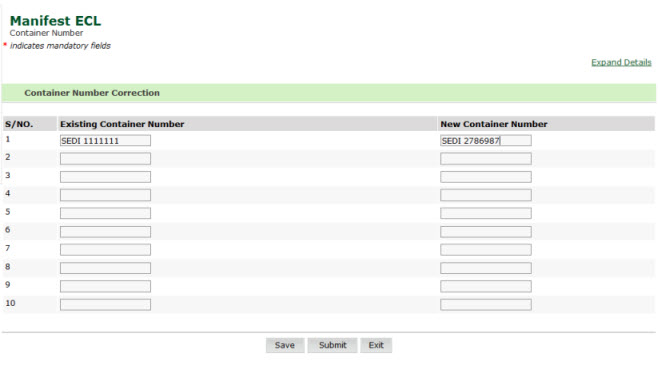
Container Number Details Page
3. Enter the Existing container and the New Container Number
4. Click Save, confirmation box is displayed
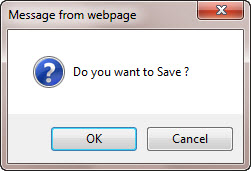
Container Number Message Box
5. Click Ok, the following screen is displayed
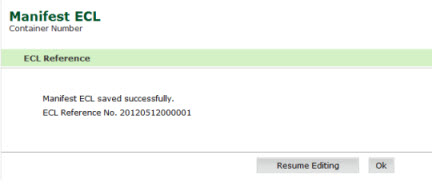
Container Number Saved Page
Validation Rules for Container
1. No two containers can share the same container number.
2. Shipping agent number (PA license) must be a valid license number.
3. Container
type must be valid i.e. in the list defined in the manifest message
specifications.
4. Container
size must be valid i.e. in the list defined in the manifest message
specifications.
6. Container
number must be valid format. First 4 chars must be alphabets; followed
by at least 4 numeric values.
7. Shipment type must be valid i.e. in the list specified in the message specification.
8. The following shipment type are not allowed:
· 4 – No Container
· 6 – Vehicle
· 9 – Direct discharge shipment
9. If
shipment type is ‘8 – Empty container’, goods weight must be equals to
the
tare weight.
10. Storage location must be in the list specified in the message specification.
11. Declared goods weight must be = to the ∑ (item gross weight in this container).
12. If container type is not reefer , the following fields are not allowed:
· Temperature Set
· Transport Temperature Hi
· Transport Temperature Lo
· Temperature UOM
13. If container type is reefer, the following fields are mandatory:
· Temperature Set
· Transport Temperature Hi
· Transport Temperature Lo
· Temperature UOM
14. If container type is reefer, ‘Temperature UOM’ must be either ‘CEL’ or ‘FAH’.
15. If shipment type is NOT Empty containers, Seal No 1 is mandatory.
Back To:
|