 |
 |
|
|
This page allows you to search and view the load permit details in the Saudi EDI Application.
To search the load permit details
1. Open the Search page. (SAUDI EDI>> Load Permit>> Search)
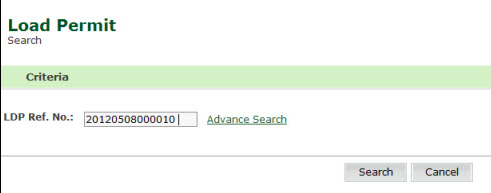
Load Permit Search page
Enter information in the LDP Ref. No. field.
Click the Search button. The Load Permit Search Details page is displayed.
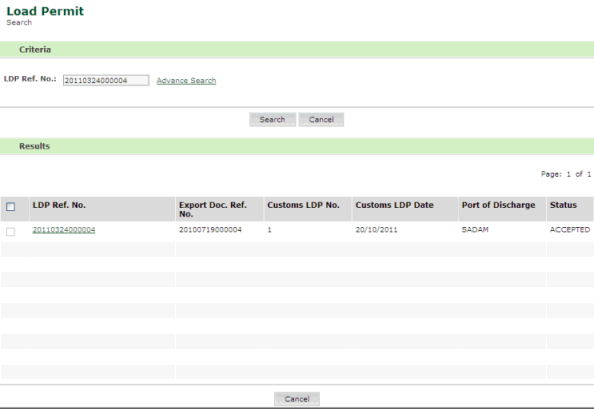
Load Permit Search Details page
4. Click the LDP Ref.No link. The Load Permit Details page is displayed.
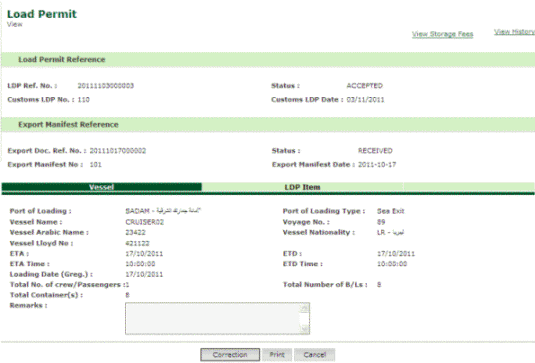
Load Permit Details page
5. Click the Correction button. The Load Permit Correction page is displayed.
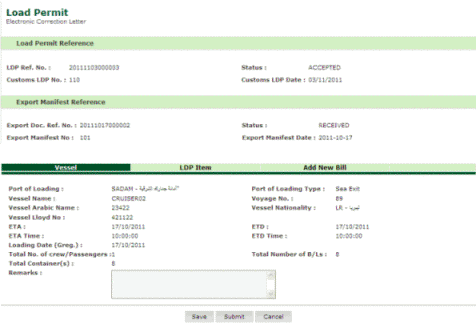
Load Permit Correction page
6. Click the Add New Bill option. The Load Permit Add New Bill page is displayed.
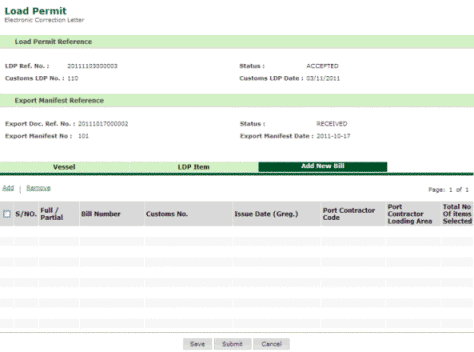
Load Permit Add New Bill page
7. Click the Add hyper link. The Load Permit Bill Creation page is displayed.
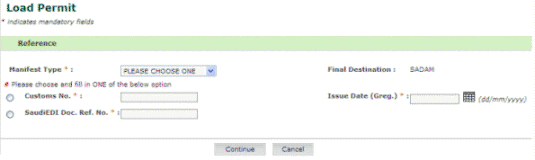
Load Permit Bill Creation page
8. Click the Continue button. The Load Permit Bill Creation Details page is displayed.
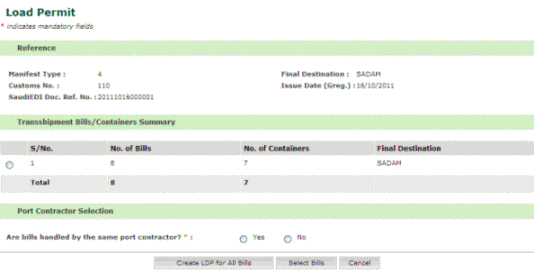
Load Permit Bill Creation Details page
9. Select
one of the options under Port Contractor Selection section. The updated
Load Permit Bill Creation Details page is
displayed.
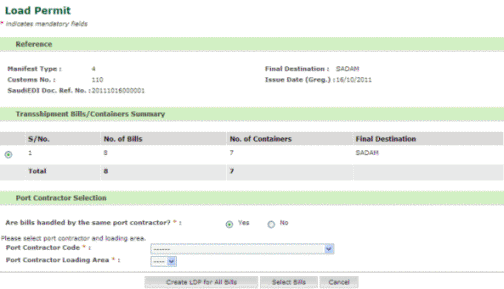
Updated Load Permit Bill Creation Details page
10. Click the Select Bills button. The Load Permit Bill Selection page is displayed.
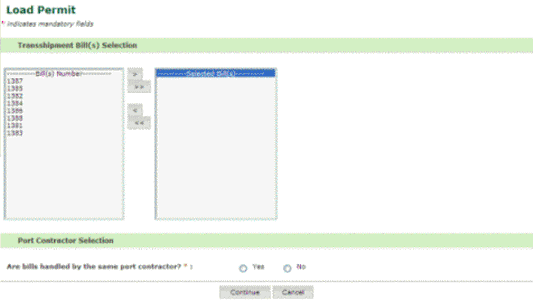
Load Permit Bill Selection page
11. Select the bills from the list of bills numbers displayed.
12. Choose one
of the options under Port Contractor Selection section. The updated
Load Permit Bill Selection page
is displayed.
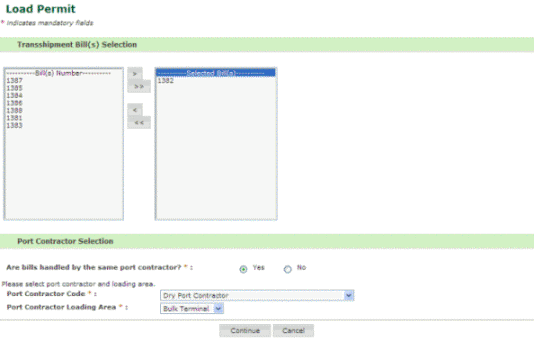
Updated Load Permit Bill Selection page
13. Click the Continue button. The updated Load Permit Add New Bill page is displayed.
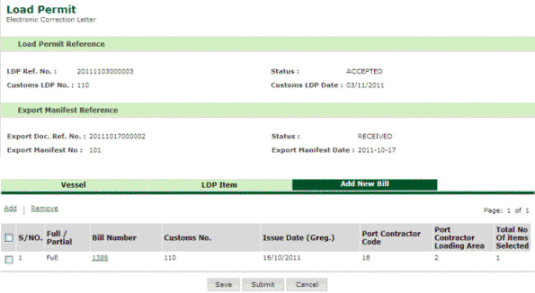
Updated Load Permit Add New Bill page
14. Click the Submit button. The updated Load Permit Search page is displayed.
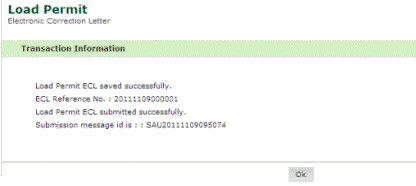
Updated Load Permit Search page
Back to : Maintaining Load Permit Details
|