 |
 |
|
|
This page allows you to search and submit many load permit details of a manifest simultaneously in the SAUDIEDI application.
To search the load permit batch submission details
1. Open the Batch Submission page. ( SAUDI EDI>> Load Permit>>Batch Submission)
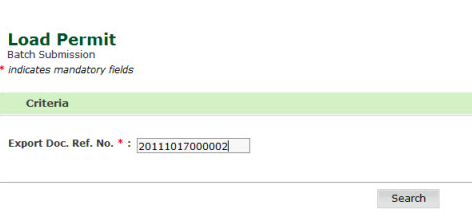
Load Permit Batch Submission page
Enter information in the Export Doc. Ref No. field.
Click the Search button. The updated Load Permit Batch Submission Details page is displayed.
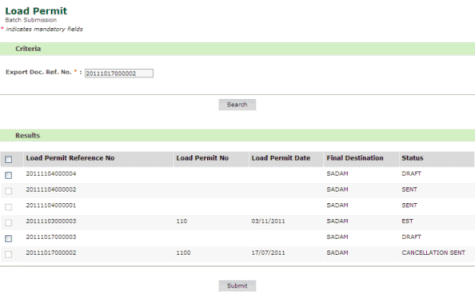
Updated Load Permit Batch Submission Details page
4. Select the check box to submit the load permit reference number details.
5. Click
the Submit button. The
updated Load Permit Batch Submission page is
displayed.
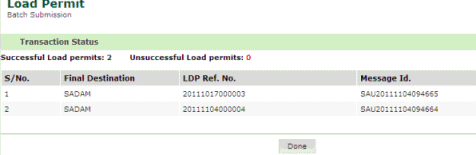
Updated Load Permit Batch Submission page
6. Click the Done button. The home page is displayed.
Back to : Maintaining Load Permit Details
|