 |
 |
|
|
This page allows you to create the load permit for different Port Contractor using SaudiEDI Application.
To create a load permit with different port contractor
1. Open the Create page.( SAUDIEDI>> Load permit>> Create)
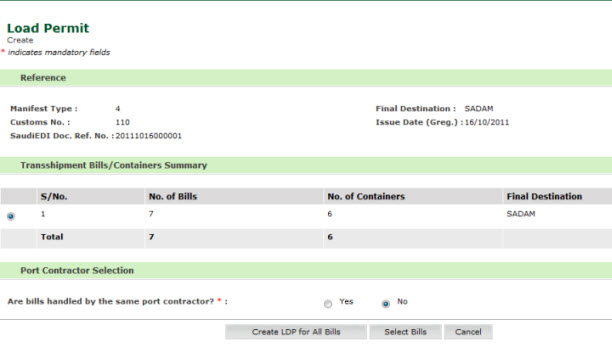
Load Permit Create Page
2. Select the Radio Button in Transhipment Bills/ Container summery
3. Select the NO radio button by the same contractor, the following screen is displayed.
4. Click Create LDP for All Bills
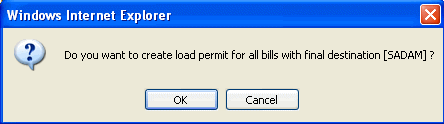
Create LDP Bills
5. Click Ok, the following screen si displayed.
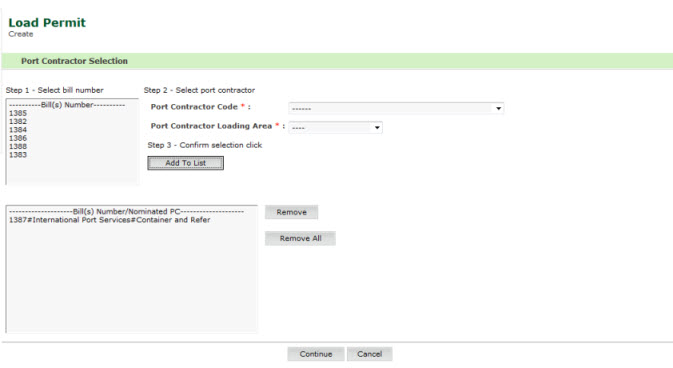
Port Contractor Selection Page
6. Select the Bill from the bill list.
7. Select the Port Contractor Code from the Drop Down list.
8. Select the Port Contractor Loading Area from the drop down list.
9. Click Add to List and Click Continue, the following screen is displayed.
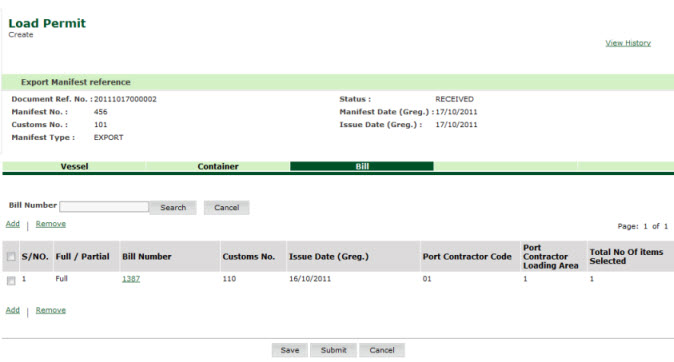
Port Contractor for All Bills Added Page
Related Topics:
Back to:
|