 |
 |
|
|
This page allows you to view the alerts in the SAUDI application.
To view the alerts
1. Open the Alerts page. ( Saudi EDI>>Export Manifest >>Alerts)
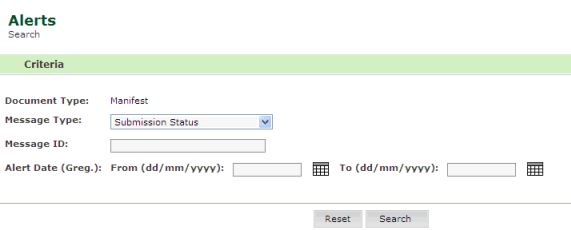
Export Manifest Alert page
2. Enter
information in the Search Criteria
fields.
| Field | Description |
Message Type |
Select the message type form the drop down list (e.g., Status, Customs Amendments). |
Message ID |
Enter the message ID. |
Alert Date From/To |
Enter
the alert dates using the calendar |
1. Click Search. The search result page is displayed.
Update Export Manifest Alert page
Back to: Creating Export Manifest Details
|
 icons.