 |
 |
|
|
The customs send the alert notification messages in response to the submission send by the users.
To view Import Manifest alerts
1. Open the alerts page. (SAUDIEDI>>Manifest>>Alerts)
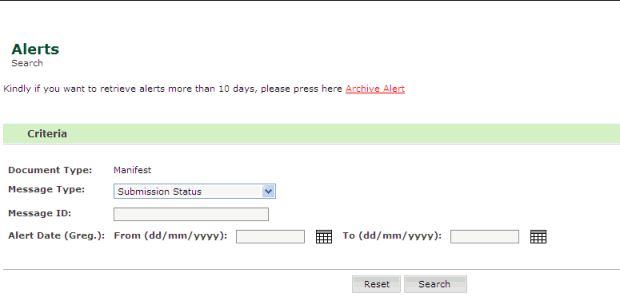
Alerts Search Page
2. Enter the details in the respective fields
| Field | Description |
| Message Type | Select the message type from the drop down list. |
Message ID
|
Enter the message ID. |
| Alert Date | Select
the alert date. To select the date, click the  button.
 |
3. Click Search, the search result page is displayed.
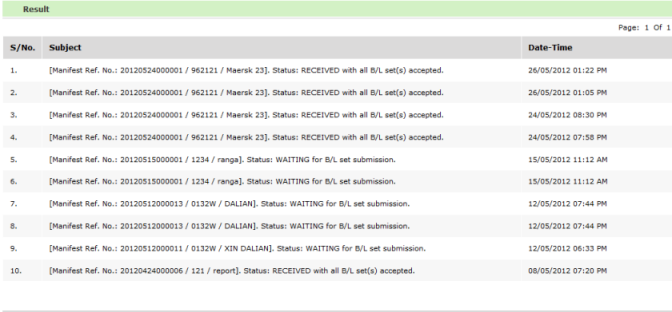
Search Result Page
4. Click Subject hyper link. The View Alerts screen is displayed.
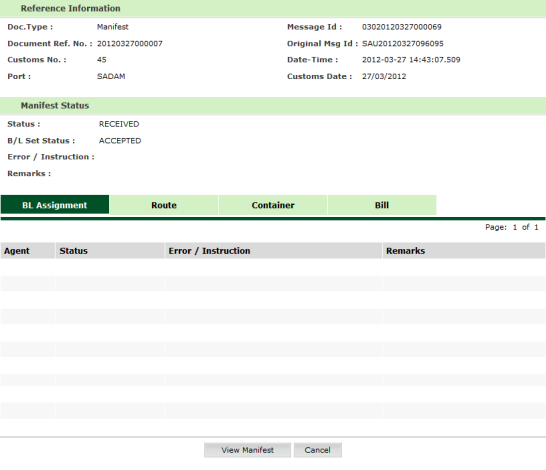
View Alerts page
5. Click Reset button, to rearrange the field values.