 |
 |
|
|
This page allows you to add the header details of a bill in the bill section using the SaudiEDI application.
To add the bill header details
1. Open the Search Bill page. (SAUDIEDI>> Manifest>> Create>> Bill>> Header)
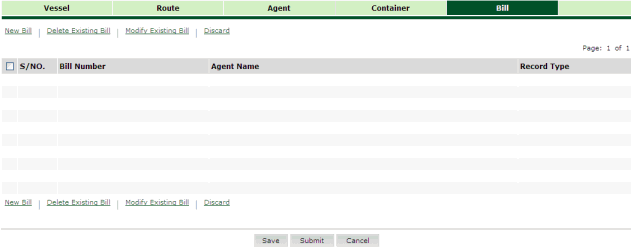
Search Bill page
2. Click New Bill hyper link. The Bill Details page is displayed.
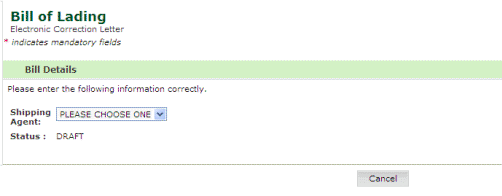
Bill Details page
3. Select the shipping agent from the drop down list. The Bill Header Details page is displayed.
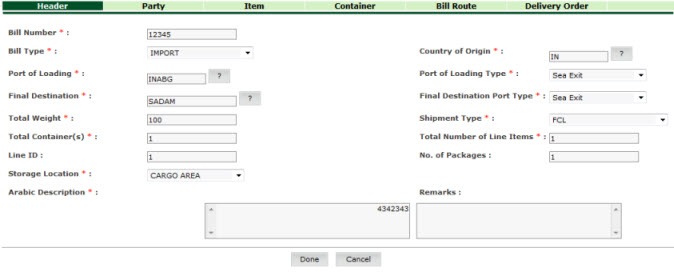
Bill Header Details page
4. Enter the information in the Header Details fields.
| Field | Description |
| Bill Number | Enter the bill number. |
| Bill Type | Select the bill type from the drop down list. |
| Country of Origin | Enter
the country of origin or select the country using the  icon. icon. |
| Port of Loading | Enter
the port of loading or select the port using the icon. |
| Port of Loading Type | Select the port of loading type from the drop down list. |
| Final Destination | Enter
the final destination or select the final destination using the
icon. |
| Final Destination Port Type | Select the final destination port type from the drop down list. |
| Shipment Type | Select the shipment type from the drop down list. |
| Line ID | Enter the line ID which specifies the shipping line that carries the cargo. |
| Total Weight | Enter the total weight of goods in bill of lading. |
| No. of Packages | Enter the total number of packages in bill of lading. |
| Total Containers | Enter the total number of containers in bill of lading. |
| Total No. of Line Items | Enter the total number of line items in bill of lading |
| Arabic Description | Enter the description of goods in Arabic. |
| Remarks | Enter the remarks. |
Back to:
|